The mysterious triangle on your Samsung screen: what this indicator means
Samsung Galaxy users often notice an unusual triangle icon in the status bar. We explain why it appears and how it affects your device's notifications.
 💡Tech
Photo: UNIAN
Key points
- Triangle icon indicates Data Saver mode
- Limits background internet access
- Can be toggled in connection settings
Samsung Galaxy smartphone owners frequently notice a strange icon in the top status bar: a triangle with small arrows pointing up and down. While it may look like a warning sign, it poses no threat to your device or your data.
What does this icon mean?
This indicator signals that the "Data Saver" mode is active on your device. In Samsung's proprietary One UI interface, this specific graphic is used to denote the feature, whereas standard Android uses a different symbol.
When Data Saver is enabled, the system strictly limits apps' access to mobile data in the background. Consequently, notifications from email, social media, and messaging apps may be delayed or fail to appear until you manually open the application.
How to restore normal notifications
If you accidentally enabled this mode via the quick settings panel, you can turn it off in the connection settings menu. Once deactivated, the triangle icon will disappear, and background data synchronization will resume immediately.
It is worth noting that Data Saver is an essential tool when traveling abroad in roaming or when using plans with strict data limits. Users can also configure exceptions by selecting specific apps that are allowed to use data in the background even when the triangle icon is active.
Source UNIAN — unian.ua/techno/software/trikutnik-u-ryadku-stanu-samsung-shcho-ozn… ↗
Read next
 🛡️Security
Ukraine to Receive Legally Binding Security Guarantees: Results of EU Talks
Leaders from Germany, France, the UK, and Ukraine have agreed on security guarantee mechanisms and continued financial support.
 🛡️Security
Volodymyr Zelenskyy names NATO membership as the best security guarantee for Ukraine
During the 'Coalition of the Willing' meeting in Berlin, the Ukrainian President emphasized that integration into the Alliance is the cornerstone of future European secur…
 🇺🇦Ukraine
Ukraine to Receive Major Support from EU and NATO: Berlin Meeting Outcomes
Ukraine has secured long-term financial and military assistance as Western leaders discuss security guarantee frameworks.
 🛡️Security
Panic in Simferopol: Residents rush to stock up on food and fuel following strikes on the Crimean Bridge
A wave of panic and shortages of essential goods have hit Simferopol following repeated attacks on the Crimean Bridge.
 🚌Transport
Road sign R9-4: what the 'thumbs up' symbol means
We explain the meaning of the rare R9-4 road sign, which prohibits hitchhiking on certain roads in the USA.
 ⚽Sport
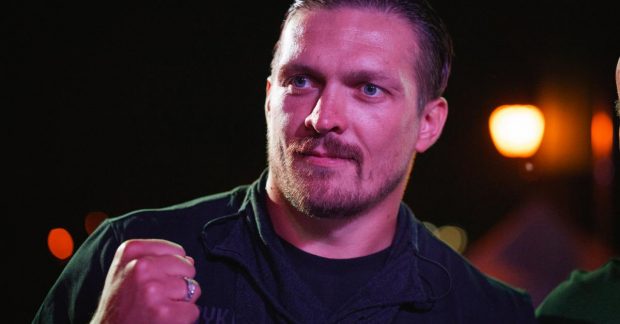
Oleksandr Usyk shares details of his interactions with global sports stars
The Ukrainian champion revealed details about his personal conversations with Cristiano Ronaldo and his friendship with Anthony Joshua.